
Digital Business Cards for Teams: How to Share and Manage Profiles
How teams use digital business cards to keep branding consistent, onboard new hires, and track networking. Setup guide for 5 to 500 people.
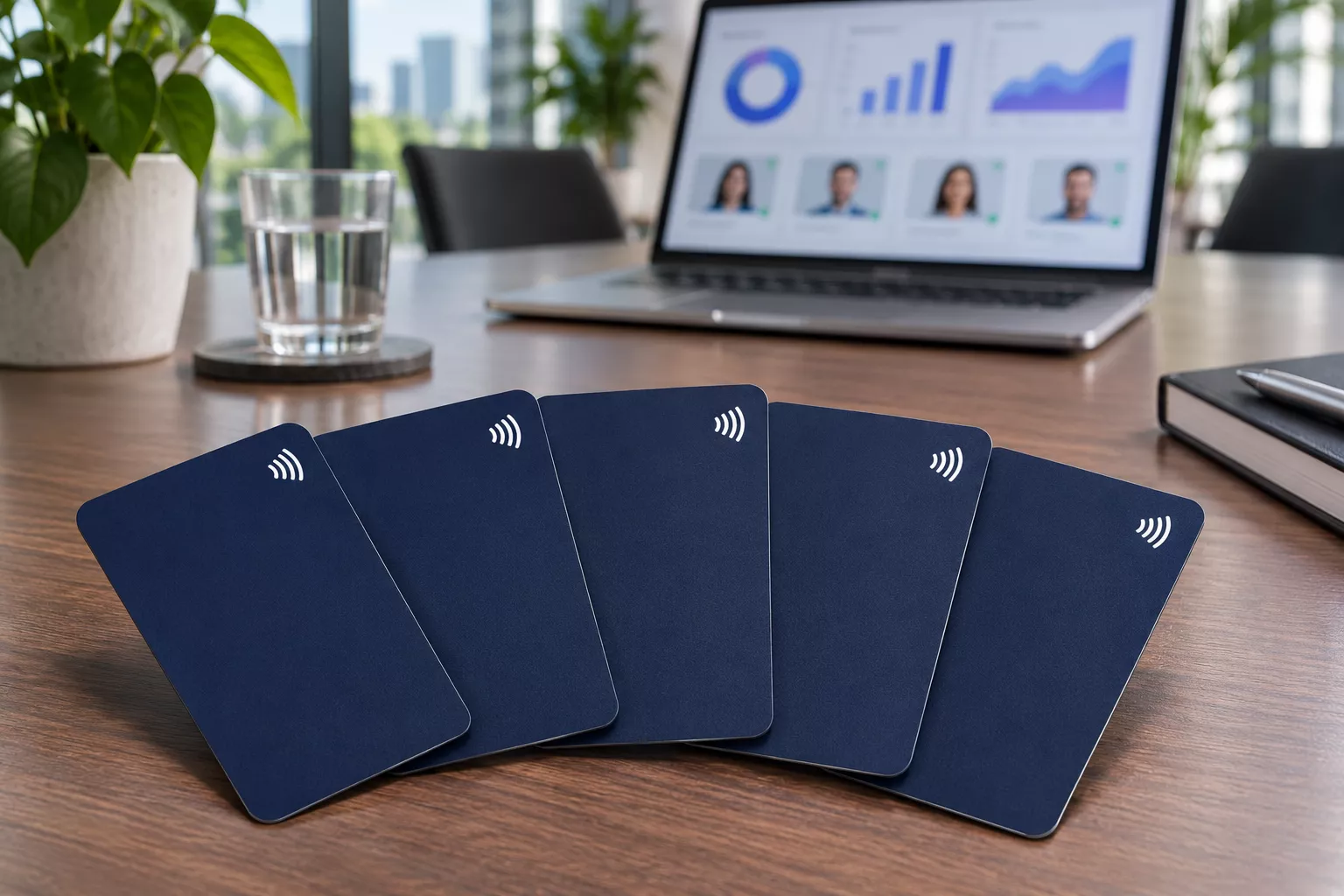
A digital business card for teams is a set of individual web profiles — one per team member — that share a consistent design and link structure while letting each person manage their own contact details. The team gets brand consistency. Each person gets a profile they can update without filing a request with marketing.
For companies with 5 to 500 people, digital team cards solve three problems that paper business cards cannot: keeping every card current when people change roles, enforcing brand standards without manual review of every print run, and measuring which team members and events generate actual networking results.
This guide covers how to set up digital business cards across a team, the coordination challenges at different team sizes, what features matter in a team-oriented platform, and the honest limitations of current tools.
Why Teams Switch from Paper to Digital
The problems with paper business cards multiply with team size.
Reprints scale linearly. If paper cards cost roughly $64 per employee per year including design, printing, and reprints, a 50-person team spends $3,200 annually on cards. A 200-person company spends $12,800. Every title change, phone number update, or rebrand triggers a batch reorder for affected employees — plus wasting the old stock.
Brand drift is inevitable. Without centralized templates, team members order their own cards with slightly different fonts, colors, layouts, and information. Over 50+ people, the inconsistency becomes visible to clients and partners. Paper requires active policing of every print order.
No visibility into networking activity. A company sends 20 salespeople to a trade show. Each hands out 50 paper cards. There is no data on whether those cards were kept, read, or acted upon. The company has no way to compare networking ROI across team members or events.
Onboarding is slow. A new hire needs business cards. The design request goes to marketing, the print order takes 5–10 business days, and the cards arrive after the new hire has already attended their first client meeting without them. A digital profile takes minutes to create and is ready immediately.
Digital business cards for teams solve all four problems. Profiles update instantly, themes enforce brand consistency, analytics track engagement, and new hires are sharing within the hour.
How Team Digital Business Cards Work
Each team member gets their own digital profile — a web page with their name, title, contact details, photo, social links, and any other relevant information. The profile is accessible via a unique URL, QR code, or NFC tap.
The "team" aspect is the coordination layer:
- Shared visual identity. All profiles use the same theme, accent color, and layout so they look like they belong to the same company.
- Standardized link structure. Everyone includes the same links in the same order — company website first, then individual contact details, then social profiles.
- Individual management. Each person updates their own profile when their phone number, title, or photo changes. No marketing ticket required.
- Centralized ordering. NFC cards can be ordered in bulk in matching colors for the entire team.
The profile itself is identical to an individual digital business card — the difference is the process around it. For a full walkthrough of creating a single profile, see How to Create a Digital Business Card.
Setting Up Digital Business Cards by Team Size
The setup process changes as team size increases. Here is what works at each scale.
Teams of 2–10 People
Coordination effort: Low. One person sets the standard; everyone follows.
Setup steps:
- Choose a theme and accent color. Pick one that matches your brand. Every team member will use this theme.
- Write a one-paragraph guideline. Specify: which links to include, what order, what bio format (first person or third person, one sentence or two), and what photo style (headshot, casual, company-provided).
- Each person creates their profile at kobexa.com/signup using the agreed theme and link order.
- Review each profile before distributing. One person checks that all profiles match the guideline.
- Order NFC cards in the same color for brand consistency — available in the shop.
- Add profile links to email signatures. This takes 5 minutes per person and ensures every outgoing email includes the digital card.
What works: At this size, informal coordination is enough. A shared document or Slack message with the guidelines handles it.
What does not: If no one takes ownership of the guideline, each person will choose a different theme and link order. Assign one person as the "card coordinator" even informally.
Teams of 10–50 People
Coordination effort: Moderate. Written guidelines are necessary. Periodic audits help.
Additional steps beyond the small team setup:
- Create a formal guideline document with screenshots showing the correct theme, link order, bio format, and photo requirements. Share it in your onboarding materials.
- Build a profile creation checklist for new hires: create account, select theme, add required links, upload photo, submit profile URL to coordinator for review.
- Assign a coordinator (usually marketing or operations) who reviews new profiles and does a quarterly audit of existing ones.
- Order NFC cards in batches to get consistent delivery and keep spare cards for new hires.
What works: Written guidelines prevent drift. A quarterly audit catches profiles that have gone off-brand.
What does not: Without a coordinator, profiles slowly diverge. Someone with a different theme or missing links creates an inconsistent impression when a client receives cards from two different team members.
Teams of 50–500 People
Coordination effort: High. Manual coordination breaks down. You need platform features or organizational process to scale.
Challenges at this size:
- Individual account management is impractical. With 200 people, you cannot manually review every profile. You need either a platform with admin controls or a robust self-service process with clear documentation.
- Onboarding volume increases. If you hire 5 people per month, profile creation needs to be part of the onboarding workflow — IT or HR includes it alongside email setup and Slack access.
- Consistency requires enforcement. Guidelines alone are not enough when 200 people are managing their own profiles. Some will customize. Some will forget to update after a promotion. Some will never set up a profile at all.
What enterprise platforms offer that free individual platforms do not:
| Feature | Free Individual Platforms | Enterprise Team Platforms |
|---|---|---|
| Admin dashboard | No — each person manages their own account | Yes — admin can view, edit, and manage all team profiles |
| Brand-locked templates | No — users can choose any theme | Yes — admin sets the template; users can only edit their details |
| Bulk provisioning | No — each person signs up individually | Yes — admin creates profiles in bulk via CSV or directory sync |
| CRM integration | No | Yes — contact captures route to Salesforce, HubSpot, etc. |
| Analytics rollup | Individual analytics per profile | Aggregated team analytics with per-person breakdown |
| SSO / directory sync | No | Yes — integrates with Okta, Azure AD, Google Workspace |
| Typical cost | $0 per profile | $3–$10 per user/month |
For a comparison of platforms with team features, see Best Digital Business Card Apps.
What to Standardize Across Team Profiles
Not everything on a team profile needs to be identical. Here is what to lock down and what to leave flexible.
Standardize These
- Theme and accent color. Every profile should use the same visual design. This is the single most visible consistency factor.
- Company logo or header image. If the platform supports it, use the same company logo across all profiles.
- Link order. Company website first, then individual email, phone, LinkedIn, and any other standard links. Consistent ordering means clients always know where to find the information they need.
- Bio format. Decide on first person or third person, length (one sentence or two), and what it should include (role description, specialization, or team affiliation).
Leave These Flexible
- Individual contact details. Obviously — each person has their own email, phone, and LinkedIn.
- Additional links. A salesperson might include a Calendly link. A developer might include a GitHub profile. Let individuals add links relevant to their role as long as they appear after the standard links.
- Photo. Ideally, use company-provided headshots for consistency. But if that is not feasible, allow individual photos with guidelines on style (professional, well-lit, head and shoulders).
Skip These
- Personal social media. Unless the person's Instagram or TikTok is professionally relevant, keep personal accounts off the team card.
- Generic company descriptions. The company website link is enough. Do not paste the company boilerplate into every team member's bio.
Onboarding New Hires with Digital Business Cards
A digital business card should be part of the onboarding checklist alongside email, Slack, and badge access. Here is a practical onboarding workflow:
Day 1:
- New hire receives onboarding document with a link to create their profile at kobexa.com/signup.
- Document includes the team guideline: theme name, accent color, link order, bio template, and photo requirements.
- New hire creates their profile in 10–15 minutes.
Day 2–3:
- Coordinator reviews the profile against the team standard.
- If NFC cards are used, coordinator adds the new hire to the next card order batch.
Week 1:
- New hire adds their profile link to their email signature.
- NFC card arrives (if ordered individually) or is distributed from existing stock.
This process works for teams of any size. The difference at scale is whether it is managed by one person informally or built into an HR/IT onboarding system.
Compare this to paper card onboarding: submit a design request to marketing, wait for proof approval, wait for printing (5–10 business days), wait for shipping. The new hire gets their cards 2–3 weeks after starting — if nothing needs revision.
Tracking Team Networking Performance
Digital business cards give teams data that paper cards never could. Here is what to measure and why it matters.
Per-Person Metrics
- Profile views. How many people opened each team member's card. High-volume networkers will have more views.
- Link clicks. Which links recipients tap — email, phone, LinkedIn, company website, scheduling link. This shows what information drives follow-up.
- View-to-click ratio. A profile with many views but few clicks may need better content or link ordering.
Team-Level Metrics
- Event ROI. Send five people to a conference. Compare their combined profile views during and after the event to the cost of attendance. This is imprecise but better than the zero data paper cards provide.
- Channel comparison. Do profile views spike more from trade shows, client meetings, or email signatures? The analytics timeline shows when views happen, which correlates with sharing activity.
- Top performers. Which team members generate the most profile engagement? This identifies your strongest networkers — useful for deciding who attends which events.
What Analytics Cannot Tell You
Analytics show engagement, not revenue. A profile view does not mean a closed deal. Use digital card analytics as one signal alongside CRM data, not as a standalone ROI metric. The value is directional: more views and clicks after an event is better than fewer, and trending data over months reveals patterns.
For a deeper look at what digital card analytics can and cannot measure, see Digital Business Card vs. Paper Business Card.
Cost Comparison: Team Digital Cards vs. Paper
| Paper Cards (per employee/year) | Digital Business Cards | |
|---|---|---|
| 10-person team, Year 1 | ~$640 | $0 (digital only) or ~$250 (with NFC cards) |
| 10-person team, 3 years | ~$1,920 | $0–$250 (NFC is one-time) |
| 50-person team, Year 1 | ~$3,200 | $0–$1,250 |
| 50-person team, 3 years | ~$9,600 | $0–$1,250 |
| Enterprise platform (50 users) | ~$3,200/year + platform costs | $1,800–$6,000/year (subscription) + NFC cards |
For teams using free individual profiles (like Kobexa), the cost is $0 for digital sharing and a one-time purchase for NFC cards. The trade-off is manual coordination instead of automated admin controls.
For teams that need enterprise features — admin dashboards, CRM integration, brand-locked templates — subscription-based platforms cost $3–$10 per user per month. At 50 users, that is $1,800–$6,000 per year. Whether this is worth it depends on how much coordination overhead the team would otherwise spend.
The paper cost estimate uses the $64 per employee per year benchmark including design, printing, reprints, and shipping.
Limitations of Digital Business Cards for Teams
No free platform offers true team admin. Free digital business card platforms, including Kobexa, are designed for individual accounts. There is no centralized dashboard where an admin manages all team profiles. Each person manages their own. This is workable for small teams with good documentation but becomes coordination overhead at 50+ people.
Brand consistency requires ongoing effort. Without brand-locked templates, team members can change their theme, reorder links, or write off-brand bios. A guideline document helps, but someone needs to audit periodically. Enterprise platforms solve this with locked templates — but at a subscription cost.
Analytics are per-profile, not aggregated. On individual platforms, each person sees only their own analytics. There is no team-wide dashboard showing total views, top performers, or event comparisons. Aggregating data requires manual collection — exporting or screenshotting each person's stats.
NFC cards are a per-person cost. Each team member needs their own NFC card linked to their own profile. For a 50-person team, that is 50 cards. The cost is still far lower than annual paper printing, but it is not zero. Keep spare cards for new hires to avoid ordering delays.
Platform dependency scales with team size. If the platform goes down or changes its free plan, every team member's card is affected simultaneously. At 10 people, this is manageable. At 200, it is a business continuity issue. Mitigate by choosing a platform with a stable track record and keeping an internal record of all team members' contact information.
Not every client or industry expects digital. Some clients — particularly in traditional industries, government, or formal business cultures — expect a physical card exchange. NFC cards bridge this gap with a physical object that delivers a digital experience. Keep a small stock of paper cards for these situations. See Contactless Business Cards: How to Share Without Paper for more on handling mixed expectations.
How to Get Started
- Create your team's first profile at kobexa.com/signup — set the theme, accent color, and link order that will become the standard.
- Write a one-page guideline with the agreed theme, link order, bio format, and photo requirements. Share it where your team will actually see it.
- Have each team member create their profile following the guideline. Review each one before distributing.
- Add profile links to email signatures across the team — this is the highest-ROI action and takes 5 minutes per person.
- Order NFC cards in matching colors from the shop for team members who network in person.
- Check analytics monthly to see which team members and events are generating engagement.
Start with the team members who network most actively. Once they are set up and seeing results, expanding to the rest of the team is easier because you have internal proof that it works.
Frequently Asked Questions
How do I keep all team profiles looking the same?
Choose one theme and accent color, write it in a shared guideline document, and assign one person to review new profiles before they go live. Without a written standard, profiles will drift within weeks. Do a quarterly check to catch any profiles that have gone off-brand — it takes 15 minutes to scan 20 profiles.
Can one person manage all team profiles from a single account?
On free individual platforms like Kobexa, no — each person needs their own account. Enterprise platforms (Popl Teams, Mobilo Teams, HiHello for Teams) offer admin dashboards where one person can create, edit, and manage all team profiles from a single login. These come with per-user subscription fees, typically $3–$10 per user per month.
How do I handle team members who leave the company?
On individual platforms, the departing person owns their account. They can update or delete their profile. Your team guideline should include an offboarding step: when someone leaves, they remove company branding and links from their profile, or the coordinator reminds them to do so. On enterprise platforms, the admin deactivates the profile directly.
Do we need NFC cards for every team member?
No. NFC cards are most valuable for team members who network in person — sales, business development, executives, client-facing consultants. Back-office team members who rarely attend external meetings may only need the digital profile with a link in their email signature. Order NFC cards for the people who will actually use them.
How much does it cost to set up digital business cards for a 20-person team?
On a free platform like Kobexa: $0 for all 20 digital profiles. If you add NFC cards for each person, it is a one-time purchase per card. No monthly fees. On enterprise platforms with admin features: $60–$200 per month depending on the platform and plan, plus NFC cards. Compare this to paper: roughly $1,280 per year for 20 people at $64 per person annually.
Can team members customize their profiles beyond the standard?
Yes — and they should, within limits. The standard covers theme, link order, and bio format. Individual customization should include their own contact details, role-specific links (a scheduling link for salespeople, a portfolio link for designers), and their own photo and bio content. The guideline should specify what is mandatory and what is flexible.
How do I measure whether digital business cards are working for the team?
Track three things: profile views per team member per month (are people actually opening the cards?), link click rates (are recipients engaging with the content?), and qualitative feedback from the team (is sharing easier than paper?). After events, compare profile view spikes to the cost of attendance. Over 3–6 months, you will have enough data to see whether digital cards are generating more saved contacts and follow-ups than paper did.
Digital business cards for teams turn individual networking into a measurable, brandable, and scalable system. Start with a shared guideline and free profiles, add NFC cards for your in-person networkers, and expand to enterprise tools if coordination overhead justifies the cost.
Ready to upgrade your networking?
Get your NFC business card from Kobexa
Tap to share your profile instantly — no app required. Pair it with a QR fallback and keep your details updatable forever.
Shop Now