
What Is an NFC Business Card? How It Works in 2026
An NFC business card is a physical card with a chip that opens your digital profile on tap. Learn how it works on iPhone and Android, how it compares to QR and paper, and how to get started.
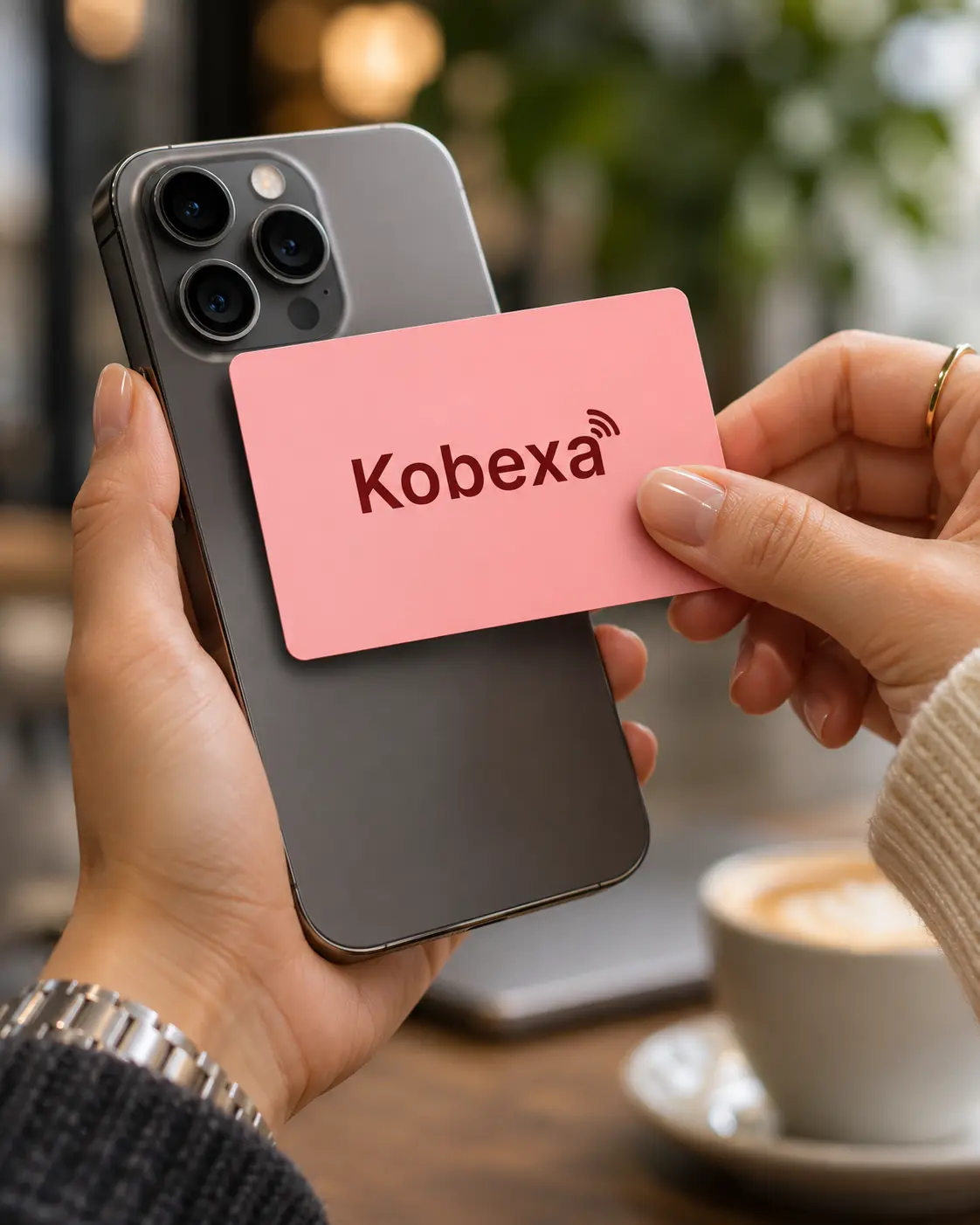
An NFC business card is a physical card with a small Near Field Communication (NFC) chip inside. When someone holds their phone near the card, the phone reads a link from the chip and opens your digital profile in a browser — usually in under two seconds, with no app install required.
The chip almost never stores your phone number, email, or job title. It stores a short URL. Your contact details live on a live web profile you can edit anytime, so the same card stays current when your role, company, or links change.
This guide explains how NFC cards work, how iPhone and Android handle taps differently, how they compare with paper and QR code business cards, what you can share, and how to choose one.
How NFC Business Cards Work
NFC is the same short-range wireless technology used in contactless payments like Apple Pay and Google Wallet. It only works within a few centimeters, which is why a tap feels intentional and hard to intercept from across a room.
Here is the exchange in practice:
- A passive chip sits inside the card. Typical business-card chips (often NTAG-class) have no battery. The phone’s NFC reader briefly powers the chip.
- You tap or hold the card near the phone. Ideal range is roughly 1–4 cm from the phone’s NFC antenna (usually near the top or back of the device).
- The phone reads a URL from the chip. The payload is typically an NDEF URL record pointing to your digital profile.
- Your profile opens in the browser. The recipient sees your name, photo, contact buttons, social links, and any other content you configured.
Because the content lives online, updating your title or phone number does not require rewriting the chip or reprinting the card.
What Is Actually on the Chip vs. Your Profile
Understanding this split is the key to using smart cards well:
| Layer | What it holds | Who updates it |
|---|---|---|
| NFC chip | A short URL (and sometimes a backup redirect) | Usually set once when the card is provisioned |
| Digital profile | Name, title, phone, email, social links, files, CTAs | You, anytime from your dashboard |
| Optional QR code | The same profile URL as a camera-scannable backup | Printed on the card; same updatable destination |
If a vendor claims the chip “stores your whole contact card,” ask whether that data is static on-chip or linked to an editable profile. Editable profiles are what make NFC cards reusable for years.
NFC Business Cards on iPhone and Android
Compatibility is high on modern phones, but the tap experience is not identical.
iPhone
- iPhones with NFC can read URL tags in the background when the phone is unlocked.
- A banner or notification typically appears at the top of the screen; the recipient taps it to open Safari or their default browser.
- Keep the card near the upper back of the iPhone — that is where Apple places the NFC antenna on most models.
- Recipients do not need the Kobexa app. Your profile is a normal web page.
Android
- Most recent Android phones open NFC URLs more directly once NFC is enabled in settings.
- Some devices show a confirmation prompt the first time; others open the browser immediately.
- Antenna placement varies by manufacturer, so if a tap fails, try the center or upper back of the phone.
Practical tip for events
Always pair NFC with a printed QR code on the same card. A small share of phones have NFC disabled, older hardware, or a case that interferes. Camera scanning covers those edge cases. Kobexa cards include both NFC and a QR code for this reason — see the shop.
NFC Business Cards vs. Traditional Paper Cards
Around 100 billion business cards are printed worldwide each year, and most paper cards are discarded quickly. NFC cards solve the “I lost your card” and “your number changed” problems in one product.
| Feature | Paper cards | NFC cards |
|---|---|---|
| Updatable | No — reprint required | Yes — edit the profile anytime |
| Contact sharing | Manual typing | One-tap open + save |
| Cost over time | Recurring print runs | One card reused for years |
| Analytics | None | Track taps, views, and link clicks |
| Storage | Wallet clutter | Digital profile stays available |
| Fallback | None | QR code on the same card |
| Environmental impact | High paper waste | One reusable PVC or similar card |
Paper still works as a visual leave-behind. An NFC card works as a connection tool — it moves the relationship into the phone where follow-ups actually happen.
NFC vs. QR Code Business Cards
Both methods open a digital profile without typing. They differ in effort, range, and where you can use them.
| NFC | QR code | |
|---|---|---|
| Interaction | Physical tap | Camera scan |
| Typical time | Under 2 seconds | About 3–5 seconds |
| Range | 1–4 cm | Works from a short distance or a screen |
| Best for | In-person meetings and events | Print, email, slides, remote sharing |
| Hardware needed | NFC-enabled phone | Almost any smartphone camera |
| Digital-only use | No — needs the physical card | Yes — share from a phone screen or PDF |
They are complementary, not rivals. The strongest setup is:
- A physical card with NFC + QR
- A digital QR or profile link for email signatures and remote intros
For a deeper walkthrough of scanning, design specs, and print tips, read QR code business cards.
What You Can Share With an NFC Business Card
Modern profiles go far beyond name-title-phone. With a platform like Kobexa, a single tap can open:
- Contact details — name, phone, email, job title, company
- One-tap save — download or save a contact file to the recipient’s phone
- Social profiles — LinkedIn, Instagram, X, TikTok, and more
- Website and portfolio — case studies, reels, or a booking page
- Location — office or store map pin
- Documents — PDFs, menus, media kits, rate cards
- Payment or tip links — Venmo, Cash App, PayPal, and similar
- Custom CTAs — “Book a call,” “Request a quote,” “Join the waitlist”
The card stays the same. The page behind it can change for a new role, a product launch, or a conference-specific offer.
Who Uses NFC Business Cards
NFC cards fit any role where first impressions happen face to face:
- Sales professionals — capture interest before the hallway conversation ends
- Real estate agents — share listings, calendars, and contact details in one tap
- Freelancers and creatives — open a portfolio instead of spelling out a URL
- Founders and small business owners — look polished without reordering print runs
- Corporate teams — keep branding consistent while each person owns their own profile
- Event and conference attendees — exchange contacts faster in noisy rooms
If you network weekly, the ROI case is simple: one reusable card plus an editable profile beats stacks of paper that go stale after a promotion.
Benefits That Matter in Practice
1. You never “run out” of cards
One provisioned card can introduce you to unlimited people. You are not rationing the last five cards at a booth.
2. Your information stays current
New phone number, new company, new LinkedIn — update the profile once. Every future tap reflects the change.
3. The interaction is memorable
A tap stands out next to a pile of paper cards. Memorable interactions get saved more often.
4. You can measure networking
Unlike paper, digital profiles can show taps, views, and which links people open. That helps you follow up on warm intros instead of guessing.
5. Less waste, same professionalism
A single card can replace years of reprint cycles. You still hand over a physical object — just one that keeps working.
Limitations and Edge Cases
Honest trade-offs help you set expectations:
- NFC must be enabled on the recipient’s phone. Some people disable it for battery or preference reasons.
- Metal cases and thick wallets can weaken the read. If a tap fails, remove the case or use the QR code.
- Not every older phone has reliable NFC reading, especially older iPhones before background tag reading matured.
- The card is a key, not the content. If your profile URL breaks or your subscription/account is inactive, the tap still opens a URL — so keep the destination healthy.
- Security is proximity-based, not magic. NFC’s short range helps, but treat your public profile like any public webpage: share what you are comfortable publishing.
How to Get Started With an NFC Business Card
- Create your digital profile first. Add your photo, title, contact buttons, and primary links. You can sign up free on Kobexa and build the page before the card arrives.
- Choose the physical card. Pick a color and finish that matches your brand. Kobexa NFC cards are PVC smart cards offered in Black, Blue, Green, and Pink, with free U.S. shipping from the shop.
- Confirm NFC + QR both point to your profile. Test with an iPhone and an Android device before your next event.
- Practice the handoff. Hold the card near the top back of an iPhone, or the NFC zone on Android, then offer the QR if needed.
- Update the profile after big changes. Promotions, new offers, and event-specific CTAs should live on the page — not on a reprint order form.
From there, treat the card like infrastructure: one object, many introductions, always current.
Frequently Asked Questions
Do NFC business cards need batteries?
No. The chips used in these cards are passive. They draw a tiny amount of power from the phone’s NFC reader during the tap. There is nothing to charge, and the chip does not “die” from sitting in a wallet.
Do recipients need an app to get my info?
No. A properly configured card opens a web URL in the phone’s browser. The recipient does not need your brand’s app to see your profile or save your contact details.
How long do NFC business cards last?
Consumer NFC chips are commonly rated for on the order of 100,000+ tap cycles and many years of normal use. The limiting factor is usually the physical card finish (scuffs, bends, heat), not the chip’s electronics.
Are NFC business cards secure?
NFC communication for a business card is short-range by design — typically a few centimeters — which makes casual interception difficult. The profile itself is a public web page, so only publish information you are willing to share with people you meet. Do not put passwords, private documents, or sensitive account details on the public profile.
What is the difference between an NFC business card and a digital business card?
A digital business card is the online profile (the page with your details). An NFC business card is the physical card that opens that profile with a tap. Many people use both: NFC/QR for in-person networking, and a shareable link or QR image for email and remote intros.
Can I update my NFC business card after I buy it?
Yes — if your chip points to an editable profile URL. Change the content on the profile; the card keeps working. You should not need to reprogram the chip for routine updates like a new title or phone number.
NFC or QR — which should I choose?
Choose both when you can. Use NFC for the fastest in-person handoff, and QR as the universal fallback plus digital sharing channel. If you can only start with one, start with a QR code on a digital profile (free to test), then add a physical NFC card for events.
Ready to upgrade your networking? Get your NFC business card from Kobexa and start making connections that last.
Ready to upgrade your networking?
Get your NFC business card from Kobexa
Tap to share your profile instantly — no app required. Pair it with a QR fallback and keep your details updatable forever.
Shop Now